REP/LOADER
“What is the best split for me?”

Your best workout split trains your high priority muscles as soon as they’ve recovered.

The Priority Principle

We don’t all want the same results from training. Some want to build big chest and delts. Others want better glutes and hamstrings.

They shouldn’t both do the same split, and they shouldn’t do a split that trains every muscle group equally, like PPL, U/L, Full Body or a bro split.

Intelligent scheduling

A smart split allocates more set volume to the muscle groups you want to grow most.

You can add more volume with a routine like PPL, but you can’t dump 20-30 sets on one or two days. Research shows that after 8 hard sets, fatigue kicks in and you can’t create the same quality tension in the muscle. Beyond that point, you’re accumulating more fatigue than growth stimulus, aka garbage sets.

The fatigue from that 20-set session might take 3 days to recover from to the point where you can train again. But if the muscle stopped growing after 36 hours, that’s a lot of wasted growth time.

The goal is to train the muscle as soon as it’s recovered with the optimal training dose - which can be as soon as 48 hours later when you’re doing just 8 hard sets per session. The aim is to put high-priority muscles in a state of continuous growth.

Your best split trains your high priority muscles as soon as they’re ready - in doses of 8 sets per session - and allocates less volume to lower priorities without ignoring them, while obeying the rules of bodybuilding logic.

We call it the Split Stream.

GENERATE YOUR SPLIT STREAM

Rank your whole physique.

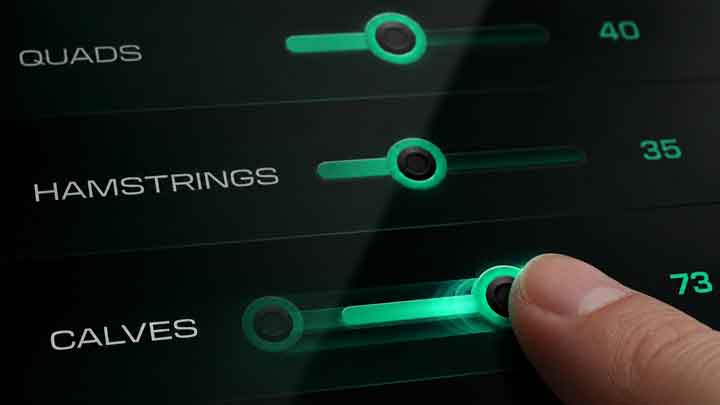
Rank 16 muscle groups below. From your priorities, Rep Loader generates an ongoing stream of workouts that train your high priority muscles more frequently, with more volume - while respecting bodybuilding programming logic.

Every setting changes how Rep Loader distributes finite training volume. Turn a muscle up to emphasize it, down to keep it closer to maintenance, or to zero to leave it out of the stream.

Split Stream Preview 14 Days · Updates Live
Own it

Save your Split Stream

The above Split Stream is based on a target of 25 sets per session, and other default values. You can customize these settings to better fit the stream to your preferences.

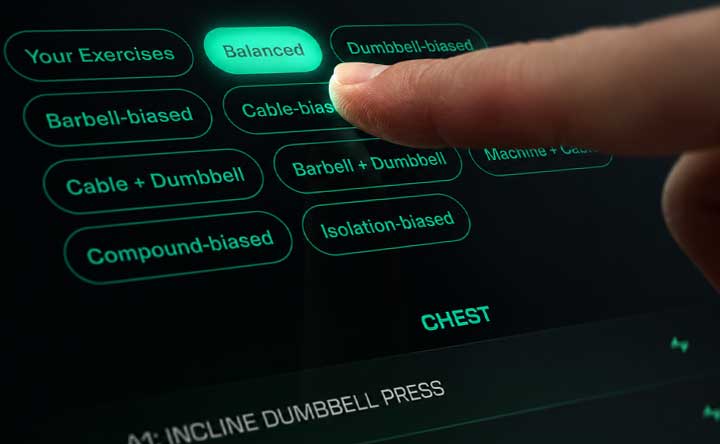
Then, add exercises to your stream to get a complete training schedule.

Create your free account to customize and save your unique stream so you can view it whenever you want.

Configure your Split Stream
Verify your email to create your free account and save.

Add exercises and your stream is ready-to-train.

When do I take days off?

Whenever you want.

Train when you can. Each time you hit the gym, your next best-fit workout is waiting. Never do the same workout twice - just the next best workout, for you.

Training more often moves you through the stream faster. Training less often moves you through it more slowly. Missing a weekday does not break the program because the stream advances from completed workouts, not days of the week.

Fixed weekly split
Split Stream
Monday may always be push day
The next workout depends on priorities and completed training
Missing a day can disrupt the sequence
Missing Monday changes nothing by itself
The calendar determines muscle order
Priorities, history, and recovery determine the sequence
Work is packed into repeating seven-day blocks
Work is balanced across an ongoing stream
Manual rearrangement may be required
The next appropriate workout is always presented
Programming Methodology

How the Split Stream engine chooses the next workout.

Rep Loader does not ask AI to invent a workout. The stream is generated by deterministic programming rules. Your priorities define the demand signal, then the engine filters and scores possible muscle group combinations against recovery, weekly volume, session size, compatibility, exercise overlap, and completed training history.

01

It normalizes the 16-muscle map.

Each muscle starts with a 0-100 priority. A zero can remove a muscle from the stream. Enabled muscles compete for a finite weekly training budget, so raising one priority changes the distribution for the whole physique.

02

It creates volume targets, not calendar days.

The engine translates priorities into relative set demand while respecting the configured session target and weekly volume ceiling. Higher-priority muscles can receive more total work; lower-priority muscles remain closer to maintenance.

03

It checks readiness before selection.

A muscle is not selected just because it is important. The stream considers when it was last trained, recent assigned work, and recovery timing before bringing it back.

04

It scores candidate sessions.

The engine evaluates possible session groupings against multiple constraints: priority demand, recovery, set target, compatibility, and whether the session would overload one area while neglecting another.

05

It applies compatibility rules.

Some muscles pair well. Push, pull, back, and lower-body affinity rules help the engine build sessions that make sense instead of random collections of high-priority muscles.

06

It advances from completed workouts.

After you train, the stream moves forward from what you actually completed. If you take an extra rest day or miss a weekday, the sequence does not reset or reshuffle around the calendar. Your next workout is chosen from your priorities, recovery state, and completed training context.

The Hard Way

How to create a custom workout split.

A custom workout split should do more than assign chest to Monday and back to Tuesday. To approximate Split Stream manually, you would need to make the same categories of decisions Rep Loader makes automatically.

StepWhat to decideWhat Rep Loader automates
01Rank every muscle group by importance.Uses all 16 priorities as the input to the stream.
02Allocate more recoverable volume to higher priorities.Distributes available volume toward higher-priority muscles.
03Define maintenance levels or exclusions for lower priorities.Scales lower priorities down and excludes zero-priority muscles.
04Decide when each muscle is ready to train again.Uses recovery timing and completed training context.
05Group compatible muscles into efficient sessions.Applies muscle affinity and session construction rules.
06Account for direct and indirect work.Uses exercise-cycler and ordering logic to keep overlap visible.
07Respect session-volume constraints.Keeps sessions near configured set targets and caps.
08Score possible next sessions against multiple constraints.Evaluates candidate muscle group combinations against priority demand, recovery, session target, compatibility, and recent work.
09Advance the sequence after each completed workout.Updates cursor position, recent set history, last-trained timing, and the next-session queue.
Test-Drive Adaptive Coaching

Start training this Split Stream.

Rep Loader does more than generate your Split Stream. It coaches you through each session, applying progressive overload and adaptive rep loading to push the intensity of each workout to the razor’s edge of growth/recovery.

Begin a 14-day coached trial with the priorities you created. No credit card required. Your trial clock starts when your first workout starts.

Start Training your Split Stream
No obligation. Work out first. Register later.

Learn More about Adaptive Rep Loading

Comparison

Split Stream versus traditional workout splits.

Traditional templates can work well for people who want a predictable weekly routine or balanced development. The main difference is where the system starts. Templates organize training by days or movement categories. Split Stream begins with the desired physique and continually allocates work around those priorities.

Traditional Splits
Split Stream
Push-pull-legs: With PPL, you can’t work a priority muscle group more frequently than every 72 hours. If the muscle is good to go again in 48 hours, that’s 24 hours of growth left on the table.
Split Stream schedules high-priority muscles as soon as 48 hours later, dividing your weekly volume into more, higher-quality doses. You get more growth for less fatigue.
Upper/lower: Potential for high-frequency training, every 48 hours. Great if you want to train legs. Not so great if legs are not a high priority. It pushes you toward compound exercises that work multiple muscles at the same time, because there aren’t enough sets available in the day for isolation work.
Lower-priority muscle groups get less work, as little as 3 sets per week, making room for more sets for your high priorities.
Full-body: Useful when training days are limited, with big gaps between sessions. Big compound movements carry the program. Helper muscles like biceps, triceps, and rear delts get neglected.
Split Stream directs sets toward your high-priority muscle groups, so you can make the most out of your limited time under the bar.
Body-part split: Makes room in the workout to give each muscle group ample set volume to grow. The problem is, it forces all that volume onto one day, maybe two, generating garbage sets, too much fatigue, and big gaps where you’re not growing.
Split Stream spreads the weekly volume of high-priority muscle groups into multiple high-frequency exposures of the optimal dose for hypertrophy.
2 Common Examples

14-Day Streams for common priority settings

Superhero

Chest
100
Side Delts
100
Triceps
85
Biceps
80
Rear Delts
70
Lats
60
Abs
60
Calves
60
Traps
50
Upper Back
50
Forearms
40
Quads
40
Glutes
35
Hamstrings
35
Front Delts
30
Lower Back
25

The specialization is visible immediately: chest and side delts appear often and receive more work when they appear.

Top allocation: chest 56 sets across 7 exposures, side delts 56 across 7, triceps 42 across 6.

Figure

Side Delts
100
Upper Back
95
Rear Delts
90
Lats
90
Glutes
90
Quads
88
Hamstrings
88
Abs
70
Calves
65
Triceps
50
Biceps
45
Lower Back
45
Chest
40
Front Delts
30
Forearms
25
Traps
20

The stream gives repeated exposure to shoulders, back, glutes, and legs while lower-priority muscles stay in the rotation.

Top allocation: side delts 48 sets across 7 exposures, upper back 45 across 7, lats 39 across 7.

"What do I get with the free version?"

Add exercises, train your stream, and tune your program.

Activate Free Version
No credit card required. Verify email to activate.
Workout Split FAQ

Common questions and answers about custom splits.

What is the best workout split for muscle growth?

There is no single named split that is best for every lifter. The best split lets you perform enough productive work, recover from it, train consistently, and send more of that work toward the muscles you most want to grow.

How do I create a custom workout split?

Rank every muscle group, allocate more recoverable volume to higher priorities, define lower-priority maintenance work or exclusions, group compatible muscles, account for exercise overlap, and keep recalculating as training is completed.

Is push-pull-legs better than upper/lower?

Neither is automatically better. Push-pull-legs groups movement patterns neatly. Upper/lower is simple and predictable. The better choice depends on your schedule, priorities, recovery, and whether the template sends work where you want it.

How often should I train a priority muscle?

Often enough to distribute its assigned volume productively, but not so often that performance and recovery degrade. Split Stream may bring a high-priority muscle back more frequently when it fits recovery and session constraints.

Can I prioritize more than one muscle?

Yes. The 16-muscle ranking is built for multiple priority levels. You can emphasize several muscles, keep others moderate, reduce lower priorities, and set a muscle to zero when you want it out of the stream.

Will lower-priority muscles lose size?

Not automatically. Lower-priority muscles can still receive work, but less than higher-priority muscles. If you set a muscle very low or to zero for long enough, you should expect less development from that muscle.

Why does Split Stream use an ongoing sequence instead of a weekly calendar?

An ongoing sequence survives real schedules better. You train when you can, and the stream continues from what has actually been completed instead of forcing the program into a Monday-to-Sunday template.

What happens if I miss a workout?

You do not miss a weekday-specific workout because the stream is not assigned to weekdays. Take the time you need, then return to the next workout in the sequence.

Why does the page show a 14-day preview?

Two weeks makes volume and frequency easier to see than one week. The preview is a window into the ongoing stream, not a 14-day split that expires.

Can beginners use Split Stream?

Beginners can use it, especially with a balanced starting template, but exercise technique, loading, progression, and recovery still matter. New lifters may not yet know which muscles deserve specialization.

How does Rep Loader calculate volume and frequency?

It uses the 16-muscle priority map, configured set targets, weekly caps, recovery timing, completed training context, and session construction rules to distribute work. Higher priorities can receive more volume and return more often.

How are pushing and pulling muscles grouped?

The engine has compatibility rules for affinity groups such as push, pull, back, and legs-push. These rules can group muscles when the pairing fits priority, recovery, and session-volume constraints.

What should I do if I am not recovering?

Rest, reduce intensity or volume, lower the relevant priority, adjust exercise selection, and avoid treating the stream as a command to train through pain or obvious fatigue. Recovery still sets the ceiling.

Does AI create the workout split?

No. The training engine makes the programming decisions. AI coaching can explain the plan and answer questions, but it does not decide the muscle sequence, set targets, or recovery rules.

See the big picture

There's more to Rep Loader than the Split Stream.

It's a fully featured web app that helps you configure a custom body transformation plan to achieve your physique goals, then trains you through adaptive coaching and dynamic rep loading to make the most of your workouts.

Learn more
Rep Loader offers free and paid versions to meet your needs and budget.

Evidence and limits: Research does not identify one named workout split as universally best for everyone. When productive volume and effort are comparable, different split structures can work. The practical value of a split is how well it distributes recoverable work, fits the lifter, and supports consistency. Who it is for: Split Stream is designed for physique-focused lifters who want to build muscle, shape a particular physique, and intentionally emphasize some muscles more than others. It assumes the user can perform resistance training safely and can make sensible exercise substitutions when needed. Not medical programming: Split Stream is not rehabilitation, medical care, or injury diagnosis. If you have pain, injury, medical restrictions, or unusual recovery constraints, get qualified guidance before training. Engine versus AI: The deterministic training engine decides the workout sequence. AI coaching can explain the decision and help you understand the plan; it does not author the stream.